Creating a clutter-free and organised home workspace is essential for maintaining focus and productivity, especially as many people continue to work remotely. A well-arranged workspace not only helps reduce mental clutter but also improves your ability to work efficiently and comfortably. Whether you have a dedicated room or a small corner, following some key principles can help you craft an environment that promotes productivity and wellbeing.
Why an Organised Workspace Matters
A tidy workspace impacts more than just the aesthetics of your home; it directly influences your work habits and mindset. Clutter can be distracting and make it difficult to find what you need, wasting time and increasing frustration. Conversely, an organised workspace helps you stay motivated, reduces stress, and creates a professional atmosphere conducive to getting things done.
Assess Your Needs and Space
Define Your Work Activities
Start by considering what types of tasks you perform daily. Do you mostly work on a computer, or do you need space for paperwork, crafting, or meetings? Understanding your work style will help you determine what essential items you need at hand and which ones can be stored away.
Choose the Right Location
If possible, select a quiet, well-lit spot with minimal distractions. Natural light improves mood and alertness, so positioning your desk near a window is ideal. Make sure there is enough room for your equipment and for moving around comfortably.
Declutter to Create Space
One of the first steps to an organised workspace is decluttering. Removing unnecessary items clears your mind and frees up valuable surface area.
– Sort items into categories: Keep only what you use regularly.
– Use digital alternatives: Scan important papers to reduce physical clutter.
– Establish a ‘daily clear’ routine: Before finishing work, spend a few minutes tidying your desk.
Invest in Functional Furniture and Storage
Desk and Chair
Select a desk that fits your space and work style. Consider adjustable desks if you want to alternate between sitting and standing. A comfortable, ergonomic chair is important to support good posture.
Storage Solutions
Using the right storage can help keep tools and documents organised:
– Shelving units: For books, binders, and decorative items.
– Drawers and organisers: Ideal for pens, papers, and chargers.
– Cable management tools: To prevent cords from tangling and creating mess.
Maximise Vertical and Hidden Storage
If floor space is limited, using vertical storage is a smart way to keep your area neat.
– Install wall shelves or pegboards to store supplies.
– Use magnetic strips or hooks to keep essential tools visible but off the desk.
– Consider filing cabinets or boxes that can be tucked under the desk.
Personalise Without Overcrowding
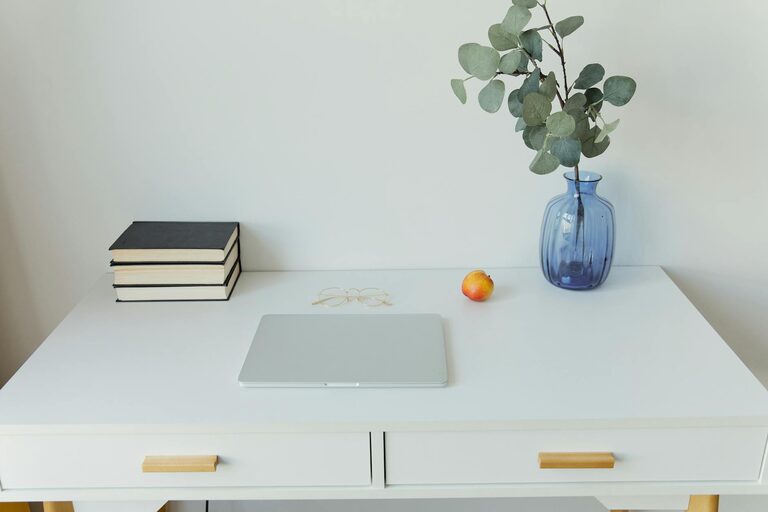
Adding personal touches like a plant, artwork, or a photo can make your workspace inviting and comfortable. However, be careful not to overcrowd the area; too many items can become distractions. Aim for a balance between functionality and personality.
Maintain Good Lighting
Good lighting reduces eye strain and keeps you alert. Besides natural light, invest in a quality desk lamp with adjustable brightness and positioning. Choosing bulbs with a natural white tone is often less tiring for the eyes than harsh, cool lighting.
Keep Technology Organised
Your devices – such as laptops, printers, and chargers – should have dedicated spaces to avoid clutter.
– Use docking stations or stands to keep gadgets upright and accessible.
– Label cables or use coloured ties to easily identify cords.
– Regularly clean devices to keep workstations tidy.
Implement Daily and Weekly Routines
Maintaining an organised workspace requires consistent effort.
– Daily tasks: Clear your desk at the end of each workday, file documents, and discard rubbish.
– Weekly tasks: Review your organisation system, update to-do lists, and clean surfaces.
Tips for Staying Organised Long-Term
– Regularly reassess your storage and organisation needs.
– Avoid keeping unnecessary items “just in case.”
– Create zones in your workspace for different activities (e.g., computer work, writing, meetings).
– Use clear containers or labels to easily identify stored items.
Conclusion
Crafting a clutter-free and organised home workspace is achievable with a bit of planning and commitment. By tailoring your setup to your needs, investing in appropriate storage, and maintaining consistent tidying habits, you can create an environment that nurtures productivity and makes working from home more enjoyable. Remember, less clutter equals more clarity – a simple but powerful mantra to keep in mind as you design your ideal workspace.