Creating a productive home office environment is essential for anyone working remotely or studying at home. A well-organised and comfortable space can improve focus, reduce stress, and enhance overall work efficiency. Whether you have a whole room or just a small corner, these tips will help you set up an ideal workspace.
Choose the Right Location
Find a Quiet Spot
Pick a place in your home that is as quiet as possible, away from distractions like household traffic, televisions, or noisy appliances. A peaceful environment will help maintain concentration during work hours.
Consider Natural Light
Position your desk near a window if possible, to benefit from natural light. Good lighting helps reduce eye strain and lifts your mood. Avoid glare by ensuring that sunlight doesn’t directly hit your computer screen.
Invest in Comfortable Furniture
Ergonomic Chair and Desk
A supportive chair with adjustable height and good back support is a must. Pair it with a desk at the right height to maintain a neutral posture. Comfort prevents fatigue and physical discomfort during long working sessions.
Use a Separate Desk Surface
Even if space is limited, dedicate a surface only for work. Using your dining table or sofa can mix work with relaxation, making it harder to focus.
Organise Your Workspace
Declutter Regularly
Keep your desk tidy by only having essential items within reach. Excess clutter can be distracting and may increase stress levels.
Use Storage Solutions
Utilise drawers, shelves, or storage boxes to keep documents and supplies organised. Labelled containers make it easier to find things quickly.
Personalise Your Space
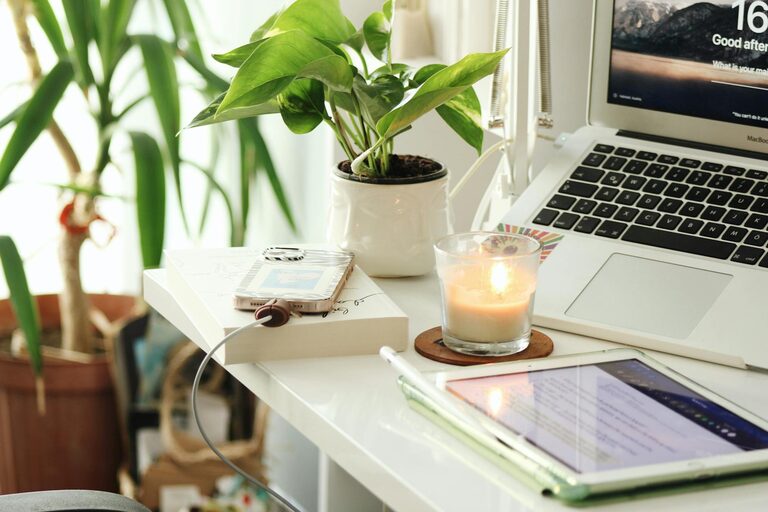
Adding a few personal touches like plants, photos, or artwork makes the area more inviting without causing clutter.
Manage Technology Efficiently
Reliable Internet Connection
A stable and fast internet connection is vital for video calls, file sharing, and research. Position your router close or use a wired connection if possible.
Essential Devices and Accessories
Ensure your computer, monitor, keyboard, and mouse are all in good working order. Consider ergonomic accessories like wrist rests or adjustable monitor stands.
Minimise Digital Distractions
Turn off unnecessary notifications and use apps or browser extensions that block distracting websites during work hours.
Establish Clear Boundaries and Routines
Set Working Hours
Define specific working hours and stick to them. This helps separate work time from personal life and creates a routine similar to an office setting.
Take Regular Breaks
Short breaks every hour can improve productivity and reduce eye strain. Use this time to stretch, walk, or relax your mind.
Communication with Household Members
Make sure everyone in your household understands your schedule and respects your workspace during work hours.
Pay Attention to Lighting and Temperature
Use Additional Lighting
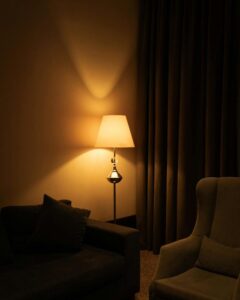
If natural light is insufficient, use desk lamps with adjustable brightness. Warm light sources are gentle on the eyes and promote a cosy atmosphere.
Maintain Comfortable Temperature
Keep the room temperature comfortable, not too hot or cold. A comfortable environment supports concentration and comfort.
Support Your Wellbeing
Stay Hydrated and Nourished
Keep water and healthy snacks within reach to maintain energy levels throughout the day.
Incorporate Movement
Consider a standing desk or take brief walks to avoid prolonged sitting. Light stretching or exercises help prevent stiffness.
Create a Relaxing End-of-Day Routine
After work, clear your desk and switch off devices to signal to your brain that the workday is over.
—
By thoughtfully organising your home office and adopting good habits, you can create a productive, comfortable environment that supports your best work. Small changes can make a big difference in your daily workflow and wellbeing.